Framer AI Credits Explained: What You'll Actually Pay
Ryan Hayward

The Framer 3.0 pricing change is causing some confusion, so let me just explain it clearly.
With the launch of AI agents, Framer has introduced a credit system. Every plan comes with a monthly credit allowance. You spend credits every time you ask the agent to do something. When you run out, you can buy more.
Here's what each plan gets you:
Free: 500 credits per day (up to 1,000/month)
Basic ($10/mo annually): 1,000 credits per month
Pro ($30/mo annually): 3,000 credits per month
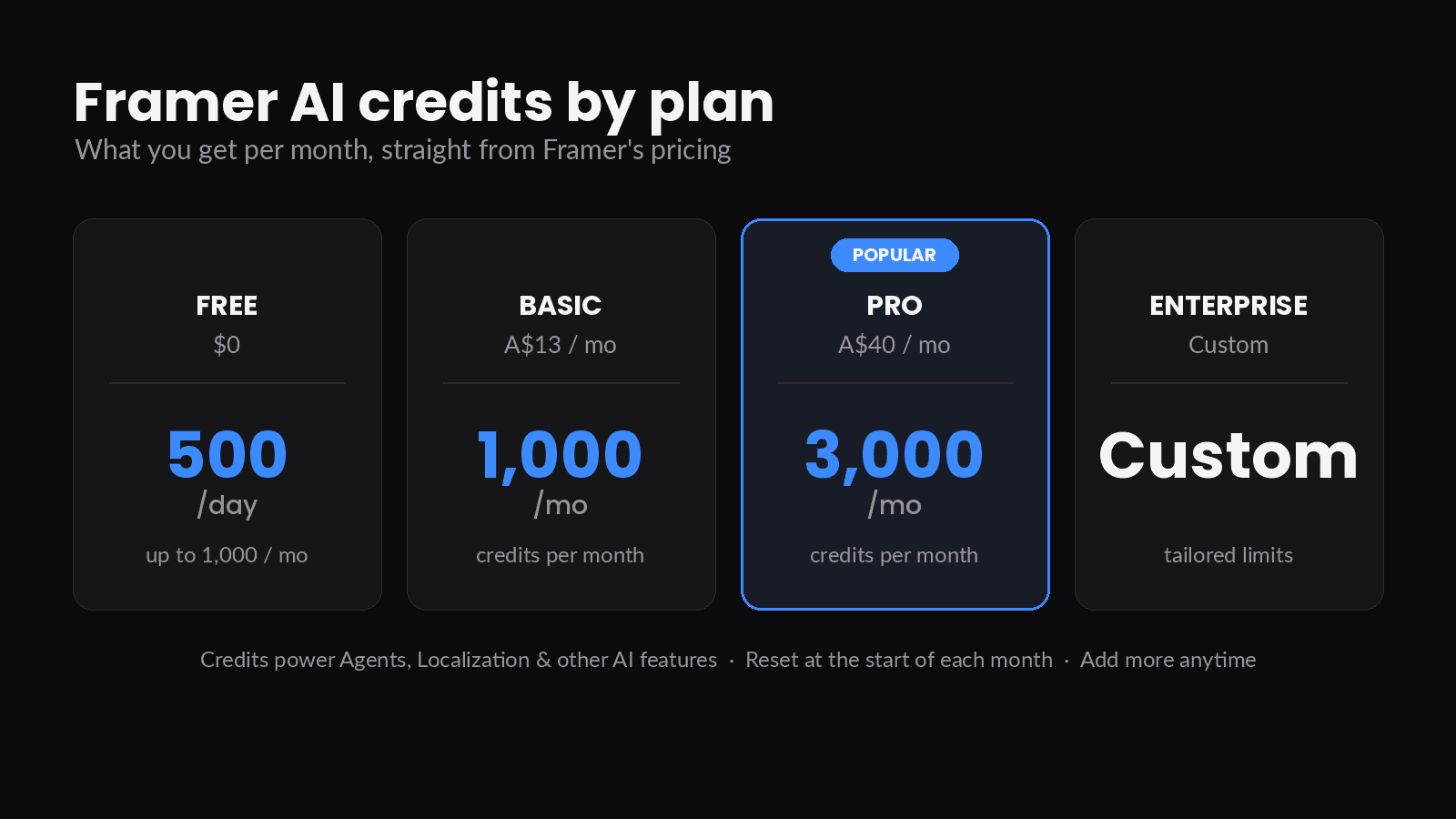
Framer's own estimate: Free is good for roughly two landing pages a day, Basic for around five a month, Pro for around ten. But that's based on simple tasks. Bigger, more complex work uses more credits.
What actually spends credits?
Anything you ask the canvas agent to do. Design work, content changes, CMS edits, adding animations, making things responsive - all of it. The more complex the task, the more credits it uses.
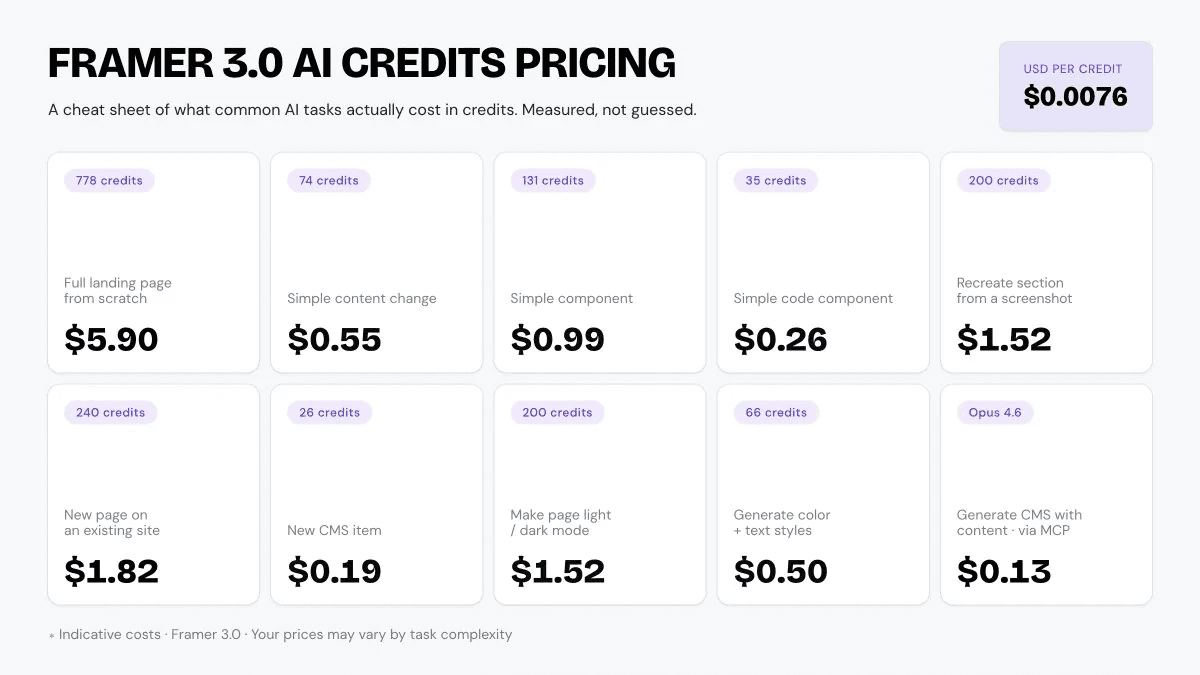
From my own testing, here's a rough guide to what things cost:
Simple content change on an existing section: ~55 credits ($0.42)
New CMS item: ~26 credits ($0.20)
Code component from canvas context: ~35 credits ($0.27)
Recreating a section from a screenshot: ~200 credits ($1.52)
New page using existing styles and components: ~240 credits ($1.82)
Dark mode toggle on an existing site: ~200 credits ($1.52)
Full landing page from scratch (no prior styles): ~778 credits ($5.90)
The last one is the wild number. Nearly $6 to generate a landing page from zero context. But if you're building inside an existing project with your components and styles already set up, that number drops significantly because the agent doesn't have to figure everything out from nothing.
The cost per credit
One credit is worth $0.0076 USD.
Framer says they price credits at roughly what it costs them to run the underlying models. GPT-5.5 is the base model. You can switch to lighter models to stretch your credits further, or use heavier models like Opus 4.8 for more complex tasks.
There's also a refund policy worth knowing about: if the agent gets something wrong and you mark the result as bad in the Changes summary, Framer refunds those credits. That's a decent safety net.
The external agent loophole
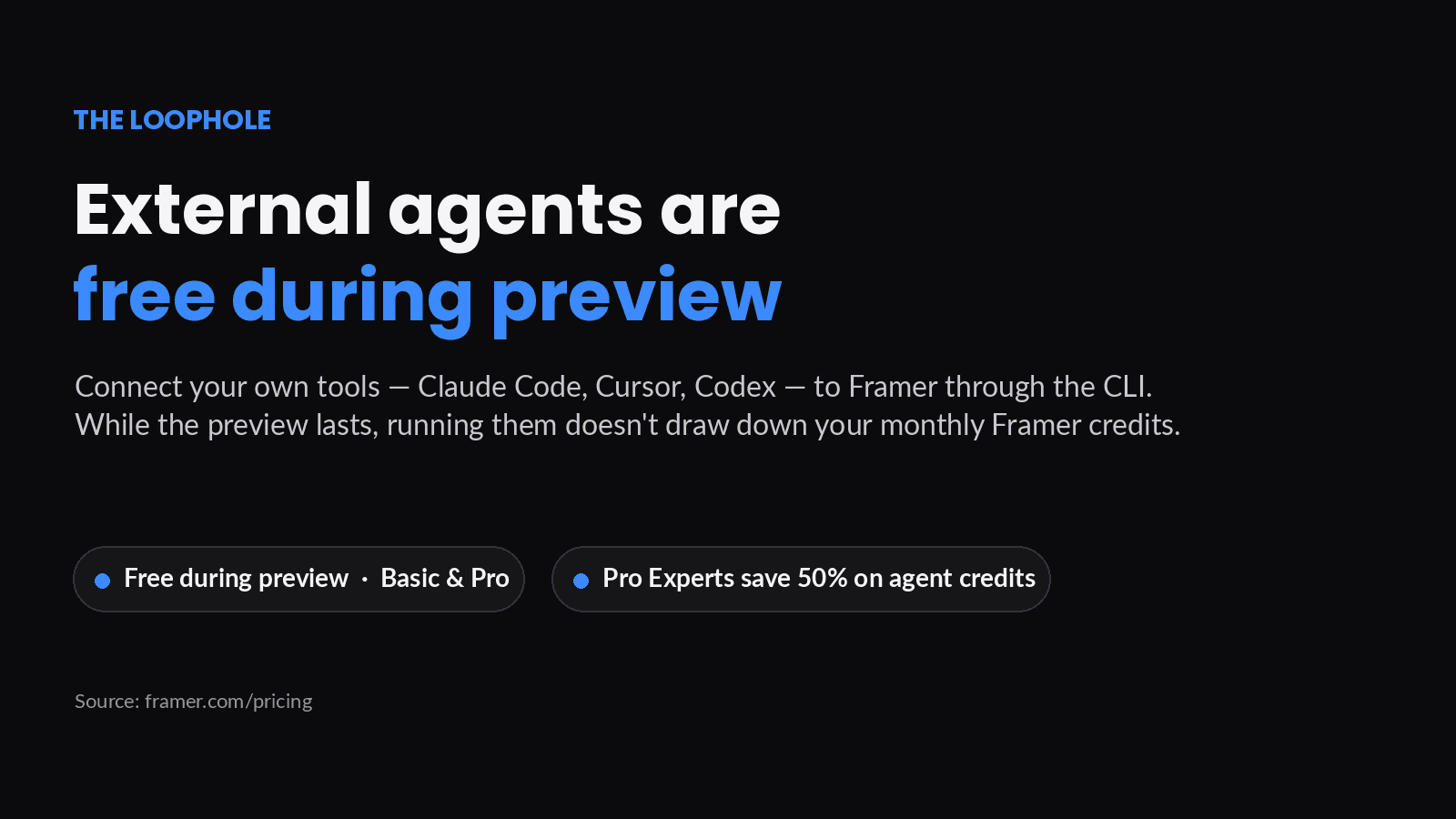
If you're already using Claude Code, Cursor, or Codex, you don't have to use Framer's built-in agent for everything.
When you connect an external LLM through the Framer MCP (via the Framer CLI), you bypass the Framer credit system entirely. You only pay whatever your model provider charges for tokens.
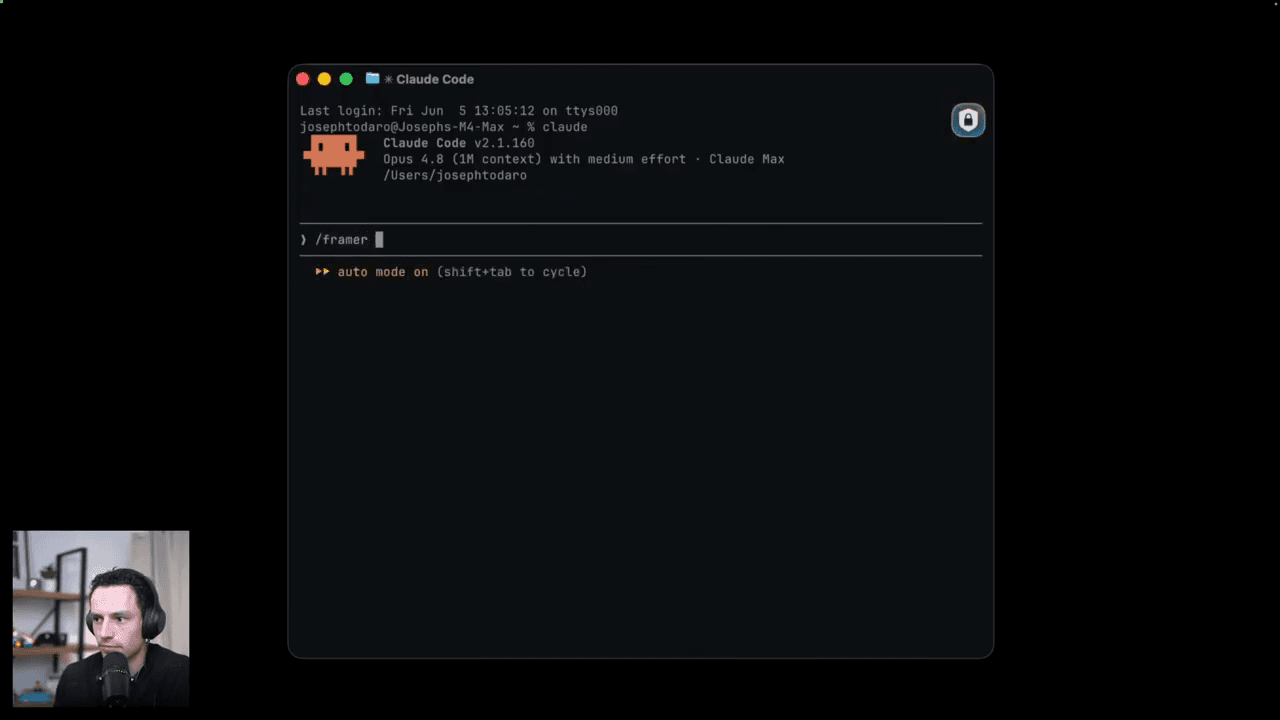
Running the same CMS task through Claude Code cost me $0.13 versus $0.19 through Framer's native agent. Not huge, but if you're doing heavy AI work daily it adds up.
This also means if you're on a lower plan and hitting credit limits, you have an escape valve. Use the canvas agent for design tasks where the real-time visual feedback matters. Use an external agent for bulk CMS work, content imports, audits, and anything you can run in the terminal.
Is it worth it?
For most people on Pro or Basic, t
he included credits are probably enough for everyday editing and occasional generation. The credit system only bites if you're generating lots of pages from scratch, regenerating constantly, or running heavy localisation workflows.
If you're a freelancer building one or two client sites a month, Pro at $30/mo with 3,000 credits is probably more than you'll ever use.
If you're an agency running multiple projects simultaneously or doing serious AI-driven workflows, you'll want to either top up credits or lean on external agents for the heavy lifting.
The pricing is more generous than I expected. AI is expensive to run. The fact that Framer has bundled credits into every plan rather than making it a separate add-on is a reasonable call.
Check framer.com/pricing for the latest numbers - they iterate on this stuff regularly.
Keep reading

Framer vs Figma Sites: Which Should You Use?
An honest, unbiased comparison of Framer and Figma Sites across design, collaboration, publishing and scaling.
Mar 10, 2026
How to Optimise Your Framer Site for SEO
A practical crash course on getting your Framer site found, covering site settings, page-level SEO, headings, alt text and performance.
Feb 26, 2026
5 Hard Truths About Learning Framer
After teaching thousands of designers Framer, here are the five mistakes I see on repeat, and how to avoid them.
May 21, 2026