Framer 3.0: My Honest Take on the Biggest Update in Years
Ryan Hayward

I was up at 3am watching the Framer live event. No shame.
And after spending the last few days actually using it, testing it, breaking it, and building with it - here’s what you actually need to know.
Framer 3.0 is a genuinely big deal. Not because AI is involved (every tool is doing AI now), but because of how they’ve done it. This is the first AI design tool I’ve seen where the output is actually editable after the fact. That changes everything.
The canvas agent is the main event
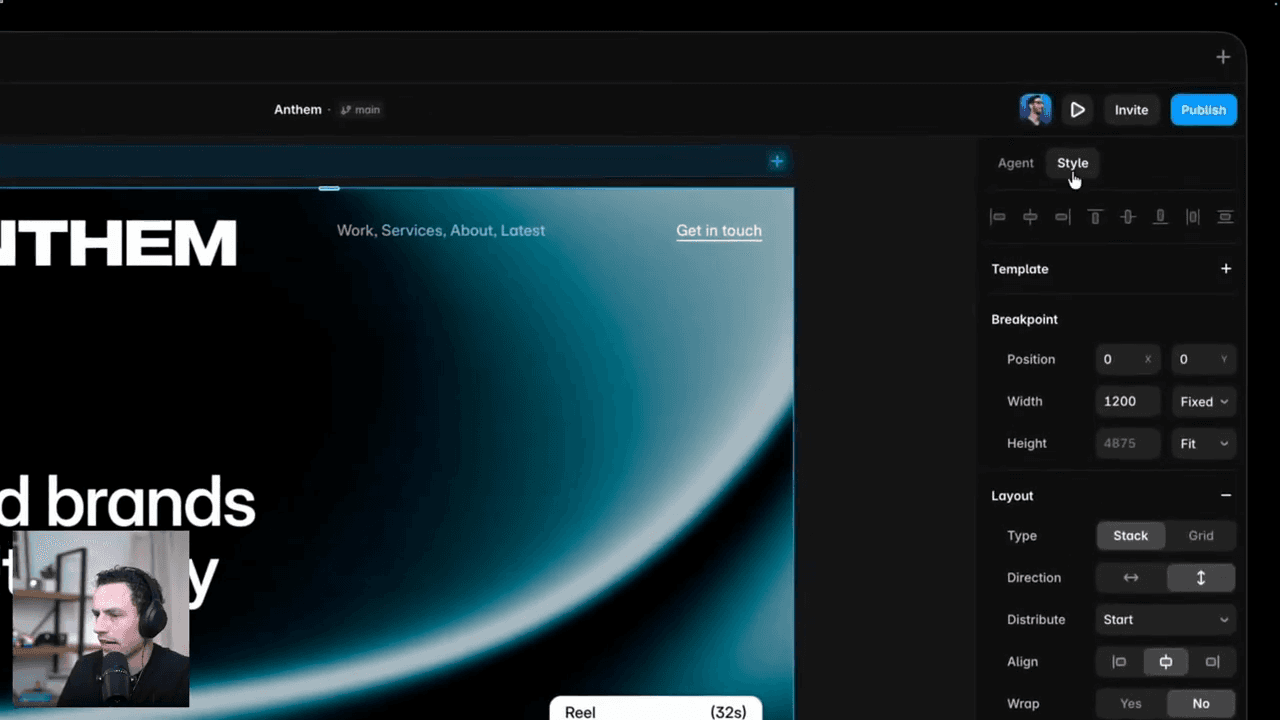
The agent lives in a new panel on the right side of Framer, right next to the properties panel. You prompt it, it builds on the canvas in real time, you watch it happen.
But here’s the thing that separates it from every other AI builder I’ve tested: you can jump in and start editing while it’s still running. You don’t wait for a finished output and then battle with some locked-down structure. It’s building, you’re tweaking, and somehow it all stays coherent.
It also pulls in everything that already exists in your project: your text styles, color styles, spacing rules, components. So when it generates a new section, it actually looks like it belongs there. That’s the context advantage Framer has over every other tool in this category. It’s been living with your design decisions from day one.
Practical things it handles really well:
Generating whole new pages that match your existing site
Making responsive layouts across breakpoints
Bulk-editing animations across every heading on every page
Cleaning up text styles and binding rogue layers to the right style
Creating components out of repeated elements
Populating CMS collections and connecting them to existing page sections
The CMS stuff especially. I’ve been saying for years that CMS setup in Framer is the most tedious part. Building collections, mapping fields, connecting reference fields, populating items - it’s all the kind of work where you lose an hour without really building anything. The agent handles a lot of that now. One prompt to create a service collection from 13 items on a page, connect it to the homepage, and show only 6. Done.
Branching is bigger than people are giving it credit for
I’ve seen a few people gloss over branching in their coverage. That’s a mistake.
This is proper version control, natively in Framer. You create a branch, make changes, review them, then merge to main. Same workflow developers have had in Git for years - now available to designers and marketers working on live sites.
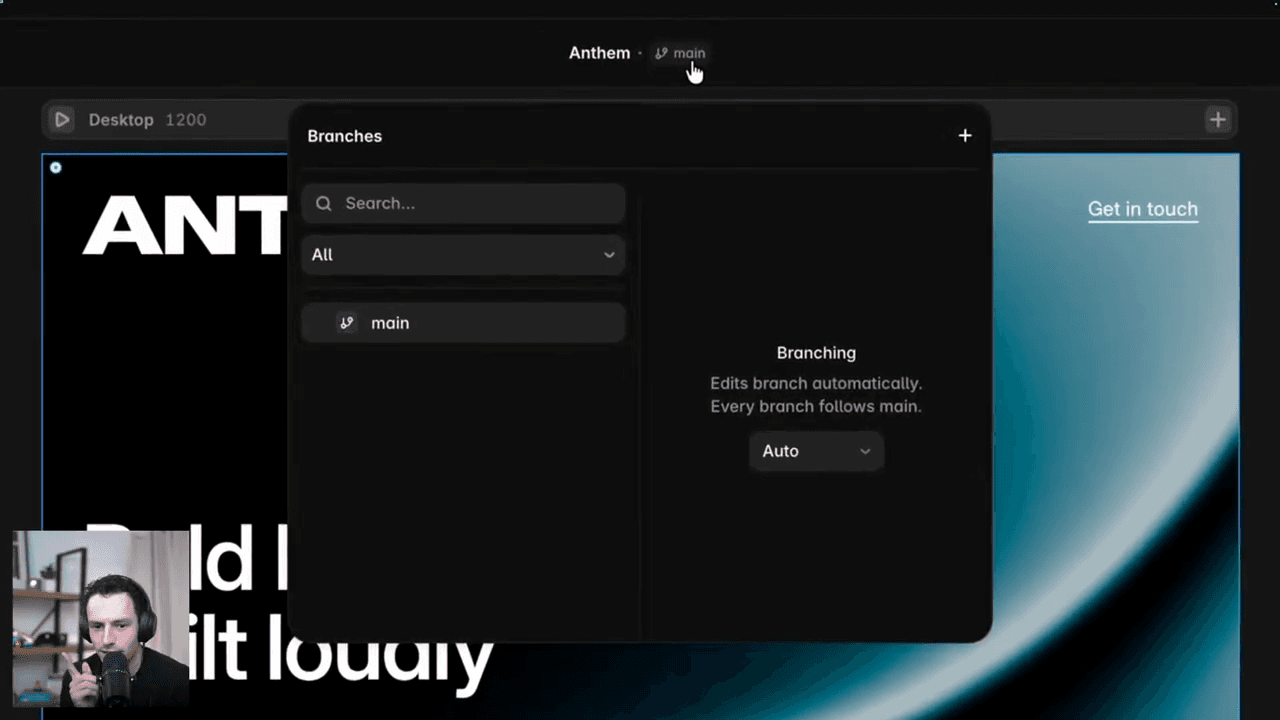
The practical benefit is huge. Before, if you wanted to try something risky - like making the whole site responsive with AI - you’d either do it directly on a live project and hope for the best, or duplicate the project and manage two versions by hand. Now you just create a branch. Experiment. Review. Apply to main when you’re happy.
This is also what makes the agent safe to use at scale. Large sitewide changes go into a branch automatically. You get to see everything that changed before it goes live.
External agents - the pro move
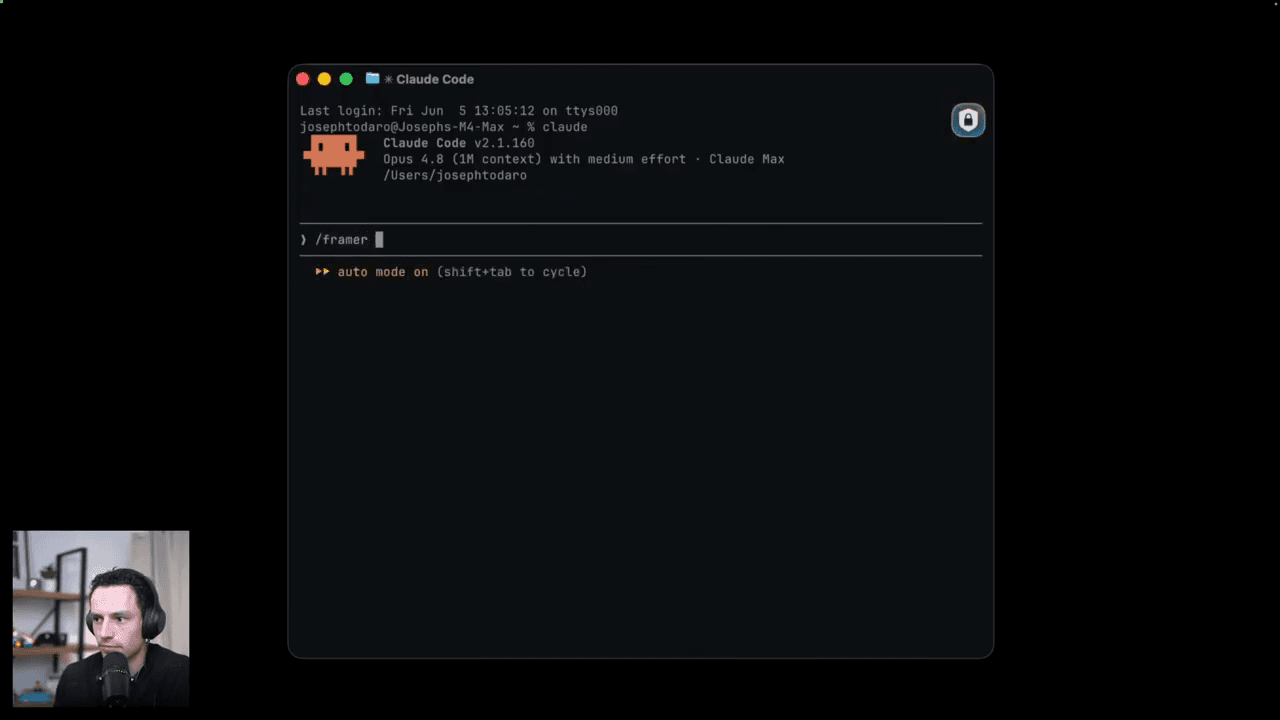
Beyond the built-in canvas agent, Framer has also shipped MCP support. This means you can connect Claude Code, Cursor, or Codex directly to a Framer project via the Framer CLI.
This is where it gets interesting for anyone who already has a workflow built around external AI tools.
You install the CLI, copy your project link, paste it into your terminal, and your LLM of choice now has full access to design, build, and manage your Framer project. You can write one long instruction and let it work through your whole site. Bulk content imports. Accessibility audits. SEO reviews. Multiple audits running in parallel across multiple projects.
The key thing to understand here: when you use an external agent through MCP, you’re not using Framer’s AI credits. You’re only paying for the tokens used by whichever model you’ve connected. So if you’re already paying for Claude or GPT, you can run that same model against your Framer project at a much lower per-task cost.
The community and marketplace refresh
Alongside all the AI stuff, Framer also rebuilt the community layer. There’s a new website, a feed for sharing your work, a revamped marketplace, and a new discovery and feedback system for creators.

They’ve also made the review and publishing process for marketplace items much faster. For anyone selling in the Framer marketplace - templates, components, UI kits - that’s a real quality-of-life improvement.
My honest take on the marketplace side: it’s going to get saturated fast. When everyone can generate polished-looking templates in minutes, the bar for standing out gets higher, not lower. The creators who win will be the ones with genuine taste and systems knowledge, not the ones who can prompt the quickest.
The short version
Framer 3.0 is the most meaningful thing Framer has shipped in years. The canvas agent is genuinely useful, branching is a proper version control workflow, and the MCP integration means your existing AI tools now speak Framer.

The context advantage is real. Because the agent knows your project, it generates output that actually looks like your site, not a generic template. That’s what’s been missing from every other AI design tool.
You still need taste. The agent won’t save you from a bad brief. Garbage in, garbage out. But if you know what you’re asking for, it moves incredibly fast.
If you haven’t updated Framer yet, do it.
Keep reading

Framer vs Figma Sites: Which Should You Use?
An honest, unbiased comparison of Framer and Figma Sites across design, collaboration, publishing and scaling.
Mar 10, 2026
How to Optimise Your Framer Site for SEO
A practical crash course on getting your Framer site found, covering site settings, page-level SEO, headings, alt text and performance.
Feb 26, 2026
5 Hard Truths About Learning Framer
After teaching thousands of designers Framer, here are the five mistakes I see on repeat, and how to avoid them.
May 21, 2026